Schedule a Meeting
Multi-party conference meetings based on the Teams server (remote conference) can be calendered and initiated from the phone.
|
1.
|
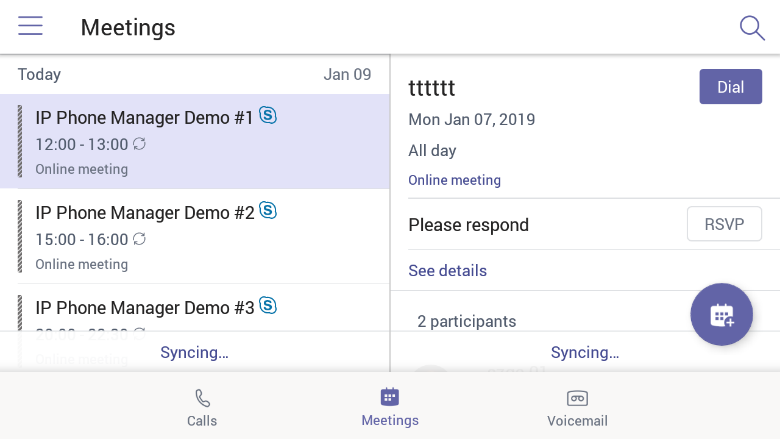
On the phone's home screen, tap Calendar.
|
|
2.
|
Tap the  icon to add a new event. icon to add a new event. |
|
3.
|
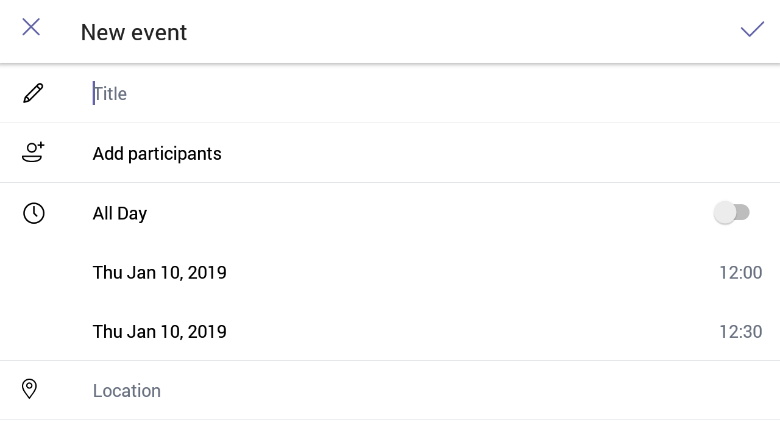
In the 'New event' screen, tap the 'Title' field and then use the virtual keyboard that launches to enter a title for the meeting. |
|
4.
|
Tap NEXT, then tap Add participants. To add a participant: |
|
a.
|
Tap the ‘To’ field and then use the soft keyboard to enter the first letter of the name of the participant to add. If you're searching for Alex (for example), tap the letter A on the soft keyboard, then l, etc.; the name you’re searching for will be promoted to the top of the list of Corporate Directory entries displayed. |
The feature lets you quickly and easily navigate to any employee listed in the Corporate Directory.
|
b.
|
Tap an entry in the list and then tap  ; the participant is added to the meeting. ; the participant is added to the meeting. |
|
5.
|
Define 'Share to a channel', date and time, 'Location', 'Show as' and provide a 'Description' of the meeting to facilitate effective management later. |
|
6.
|
Tap the  icon; the meeting is calendarized. icon; the meeting is calendarized. |